Paybill or till?
A till number (Buy Goods) is built for shops: the customer pays, but there is no account number. A paybill asks the customer for an account number, which is exactly what water billing needs: the meter or account number tells your system whose bill to clear.
Apply to Safaricom
Apply online through Safaricom's M-Pesa for Business portal or at a Safaricom shop. Requirements change from time to time, so check the current list with Safaricom, but expect to provide:
- The completed paybill application form and terms, signed and stamped
- Your certificate of registration or incorporation (or the project's registration documents)
- The organisation's KRA PIN certificate
- Identity documents for the directors or officials
- A bank letter for the account money will settle into
Connect the paybill to your billing system
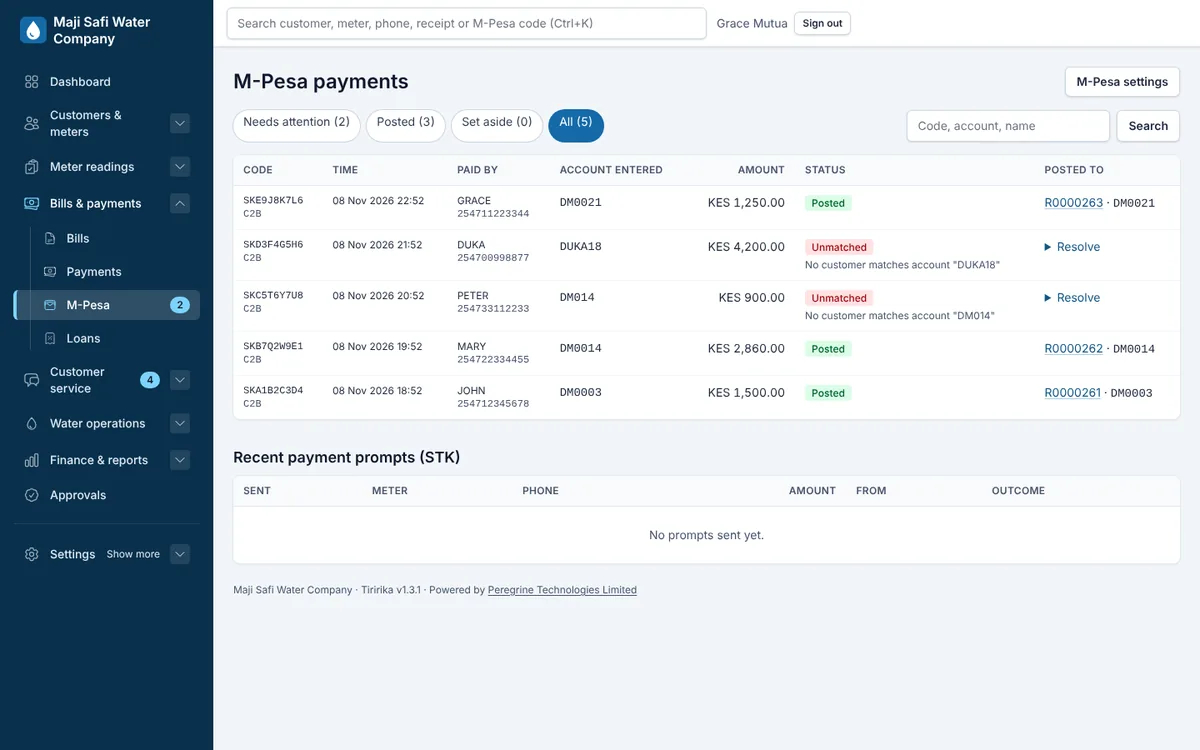
Once the paybill is active, it can be connected to software through Safaricom's Daraja API. Your billing system registers the web addresses that Safaricom calls for every payment, and from then on each payment arrives with the account number, amount, payer and M-Pesa code.
With Tiririka, we handle this step with you: we register your paybill, test a payment end to end, and turn on SMS receipts.
Tell customers how to pay
Put the paybill and the customer's account number on every bill and SMS. Customers go to M-Pesa, Lipa na M-Pesa, Pay Bill, enter the business number and their account number, and pay. Tiririka adds both to every bill automatically.
Sources: Safaricom: M-Pesa for Business applications; Safaricom Daraja API for developers
Common questions
- How long does a paybill application take?
- It depends on Safaricom and on your documents being complete. Ask Safaricom for the current timelines when you apply.
- Does Tiririka charge per M-Pesa payment?
- No. Safaricom's normal paybill charges apply; Tiririka's monthly fee is the same however many payments you receive.